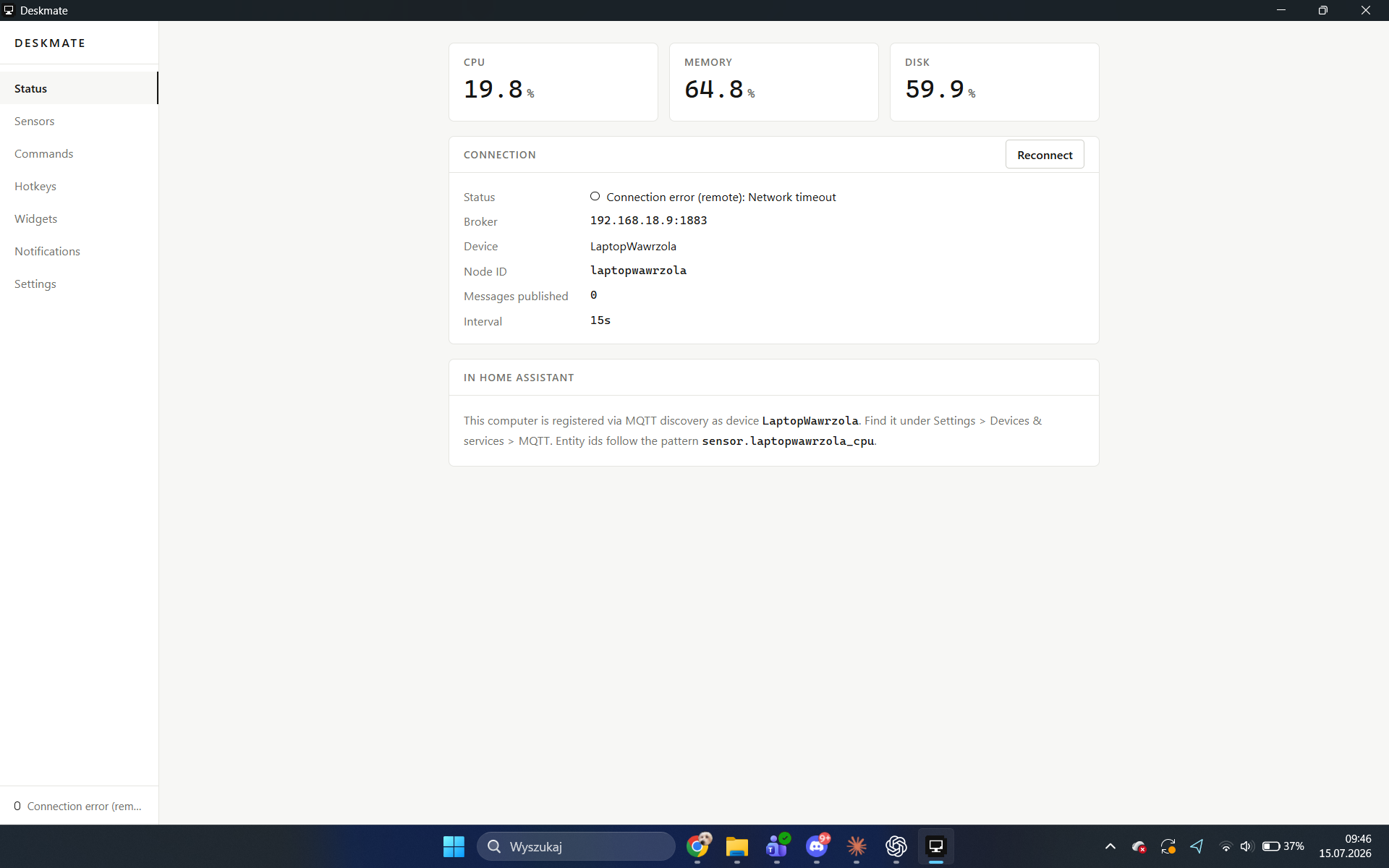
A modern, open-source Windows companion for Home Assistant — the spiritual successor to HASS.Agent. Your PC shows up in Home Assistant as a device with sensors, buttons, switches and notifications, and your keyboard becomes a remote control for your home. Five-field setup instead of a config maze.
Runs natively on Windows 11, both x64 and ARM64 (Snapdragon laptops included) — no emulation, no C toolchain, one ~2.5 MB installer per arch.
What kind of app is this? A regular Windows desktop app (Tauri, so a small native binary + webview UI) that lives in the system tray. There is no separate background service — while your Windows user session is active, Deskmate runs, connects to your MQTT broker, and keeps your entities in sync. Closing the window minimizes it to the tray; quitting from the tray menu (or signing out) actually stops it. It starts with Windows if you enable autostart in Settings.
Why not just use HASS.Agent (or its active fork)? Both are solid projects and if they already cover what you need, use them. Deskmate exists because of two gaps I personally kept hitting: no native ARM64 build (so no support for Snapdragon/Copilot+ PCs without emulation), and a handful of sensors/entities I wanted that weren't there (camera/mic-in-use, keep-awake as a switch, MQTT device-trigger hotkeys, a widget panel). If you're on x64 and the fork already does what you want, there's no reason to switch.
Screenshots
| Status | Sensors | Commands |
|---|---|---|
 |
 |
 |
| Hotkeys | Widgets | Notifications |
|---|---|---|
 |
 |
 |
Highlights
Your PC in Home Assistant (MQTT discovery, zero YAML)
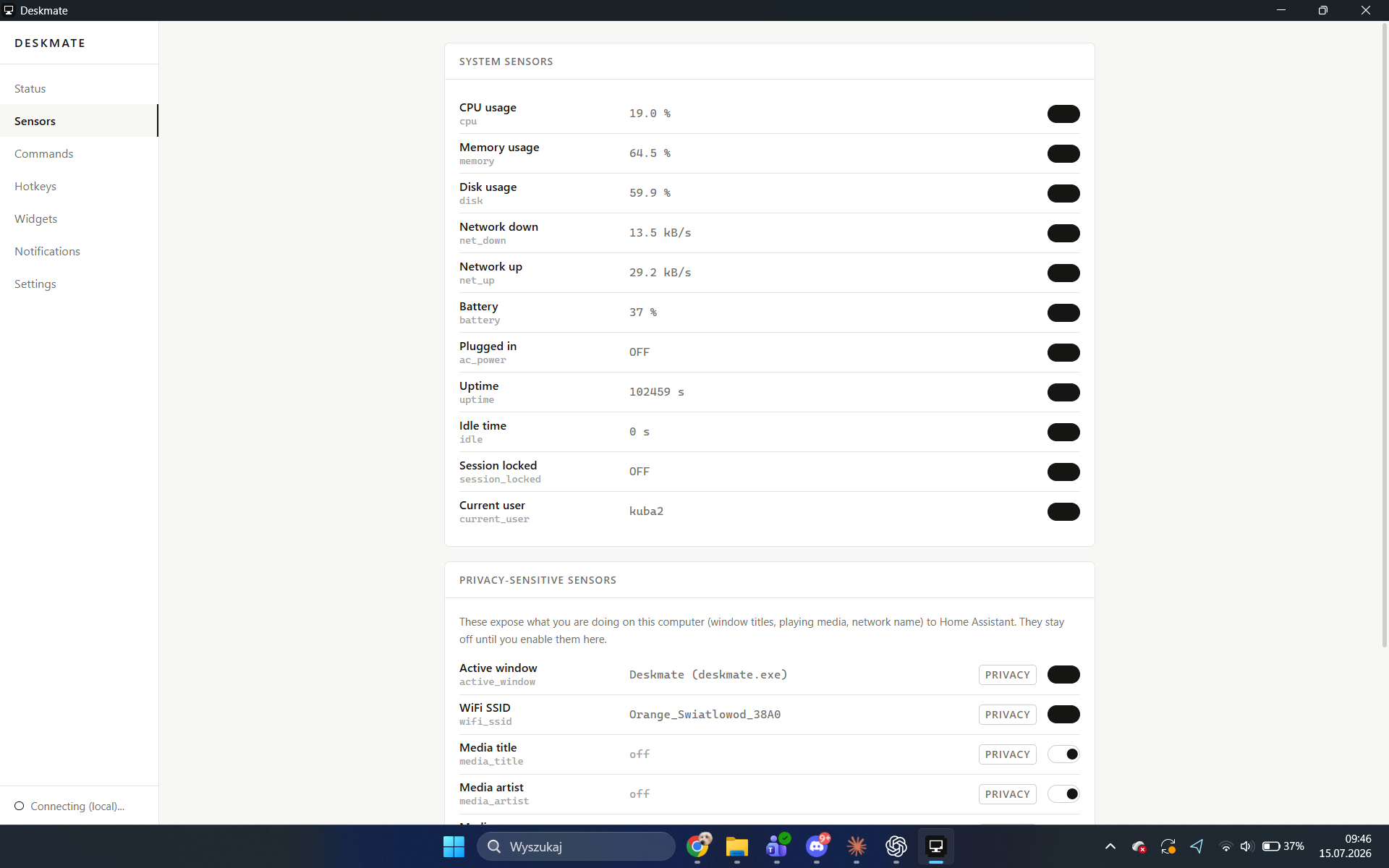
- System sensors — CPU, memory, disk, network up/down, battery, plugged-in, uptime, idle time, session locked, current user. Published on your interval, entities appear automatically under one device.
- Privacy-aware sensors (opt-in, off by default) — active window title, WiFi SSID, clipboard content, camera-in-use, microphone-in-use, currently playing media (title / artist / app / state). Each one is enabled consciously, per sensor; disabling removes the entity from HA.
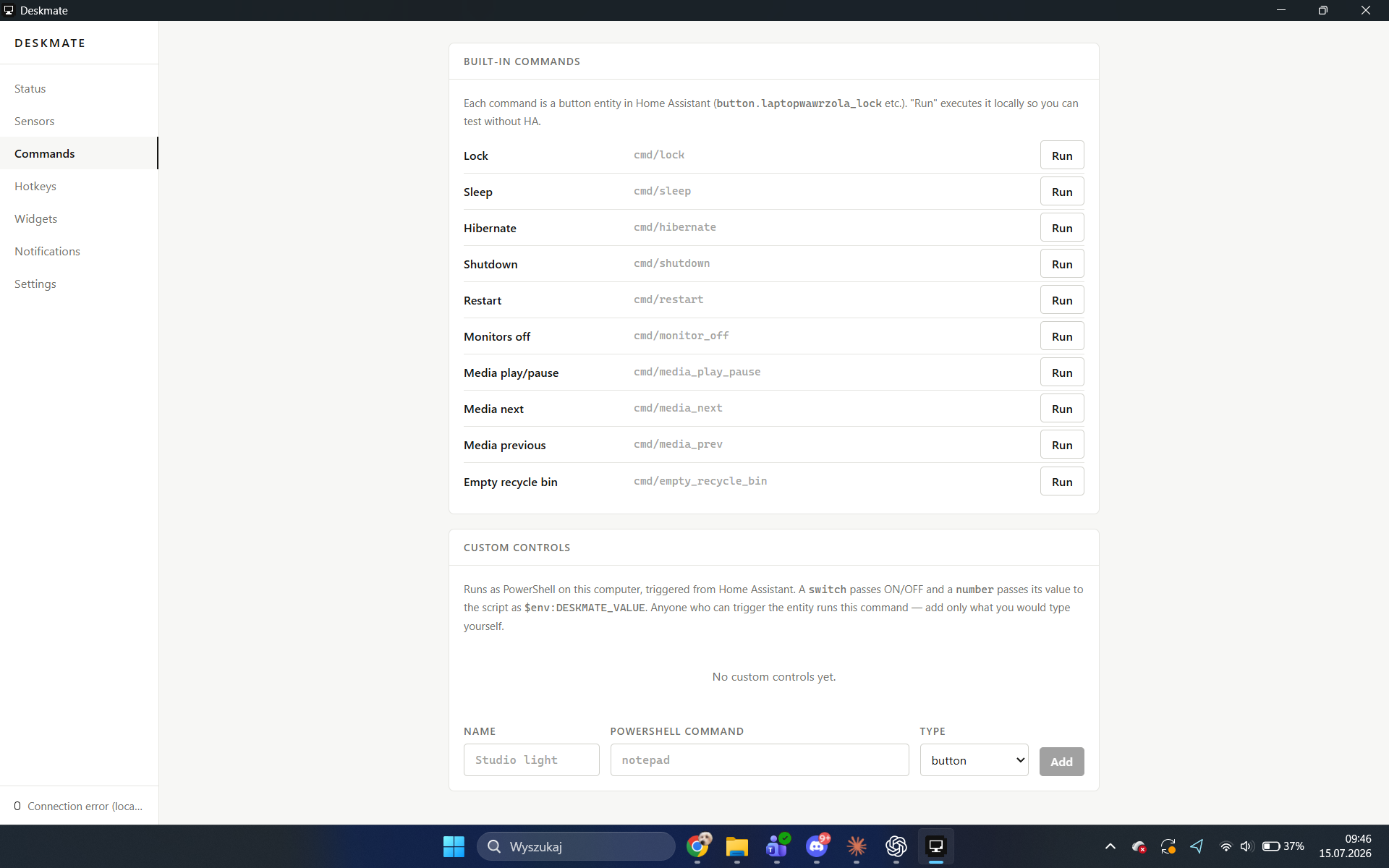
- Remote commands — lock, sleep, hibernate, shutdown, restart, monitors off, media play/pause/next/prev, empty recycle bin, master volume slider.
- Custom controls — your own PowerShell commands exposed as HA button,
switch or number entities. Commands are independently enabled and can
require local confirmation; values reach scripts only through the sanitized
$env:DESKMATE_VALUEenvironment variable. - Keep awake switch — an HA switch that stops the PC from sleeping and the display from turning off (great for backups and downloads).
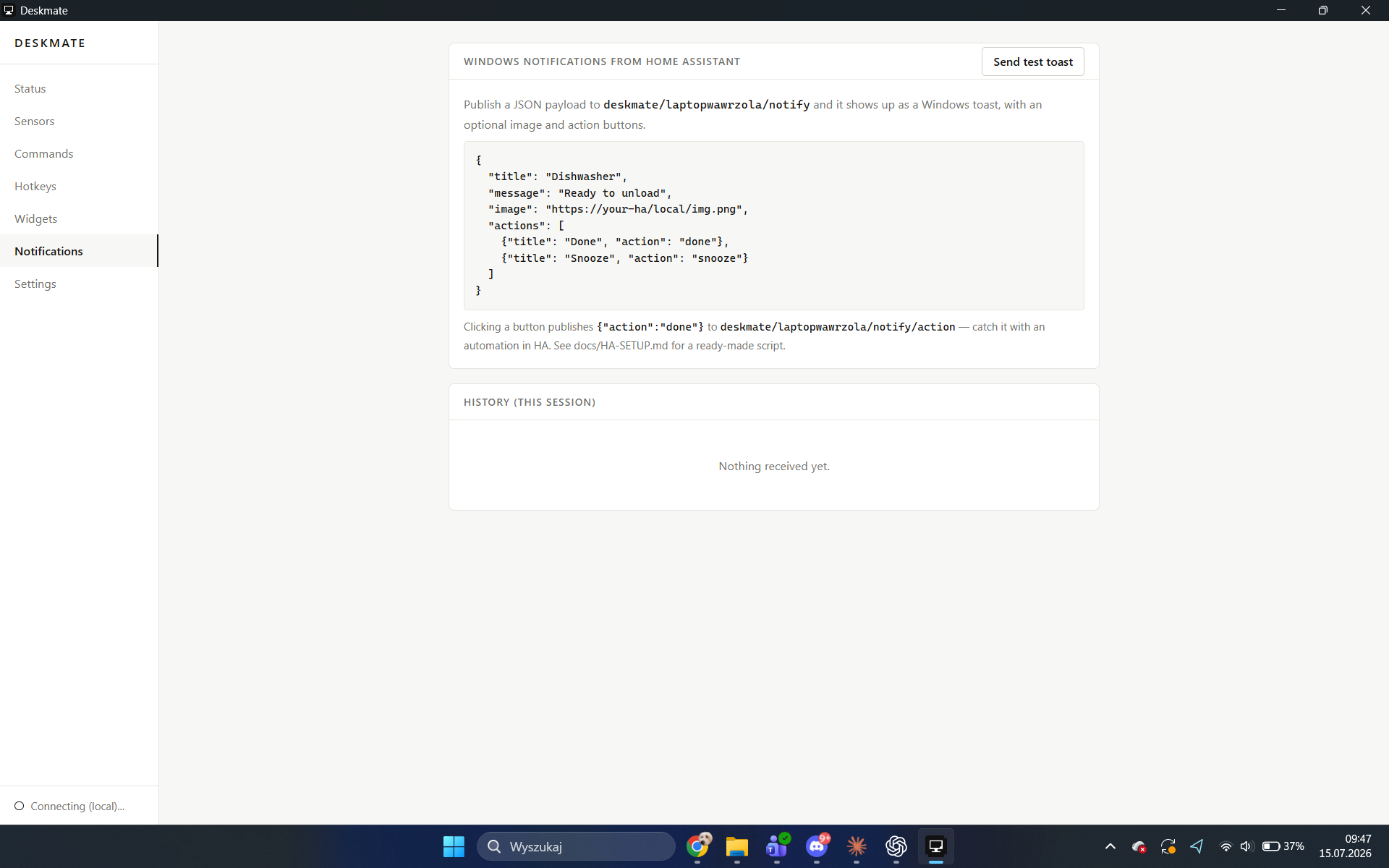
- Notifications — publish JSON to one MQTT topic, get a native Windows toast with title, message, an image, and action buttons; the clicked button is published back to HA, so an automation can react to it.
- Remote interaction (opt-in) — HA can type text into the focused window, drive a presentation, open an allowlisted HTTP(S) origin, put text on the clipboard, or make the PC speak. Clipboard read and write each support Off / Confirm / Automatic modes.
Your home on the PC
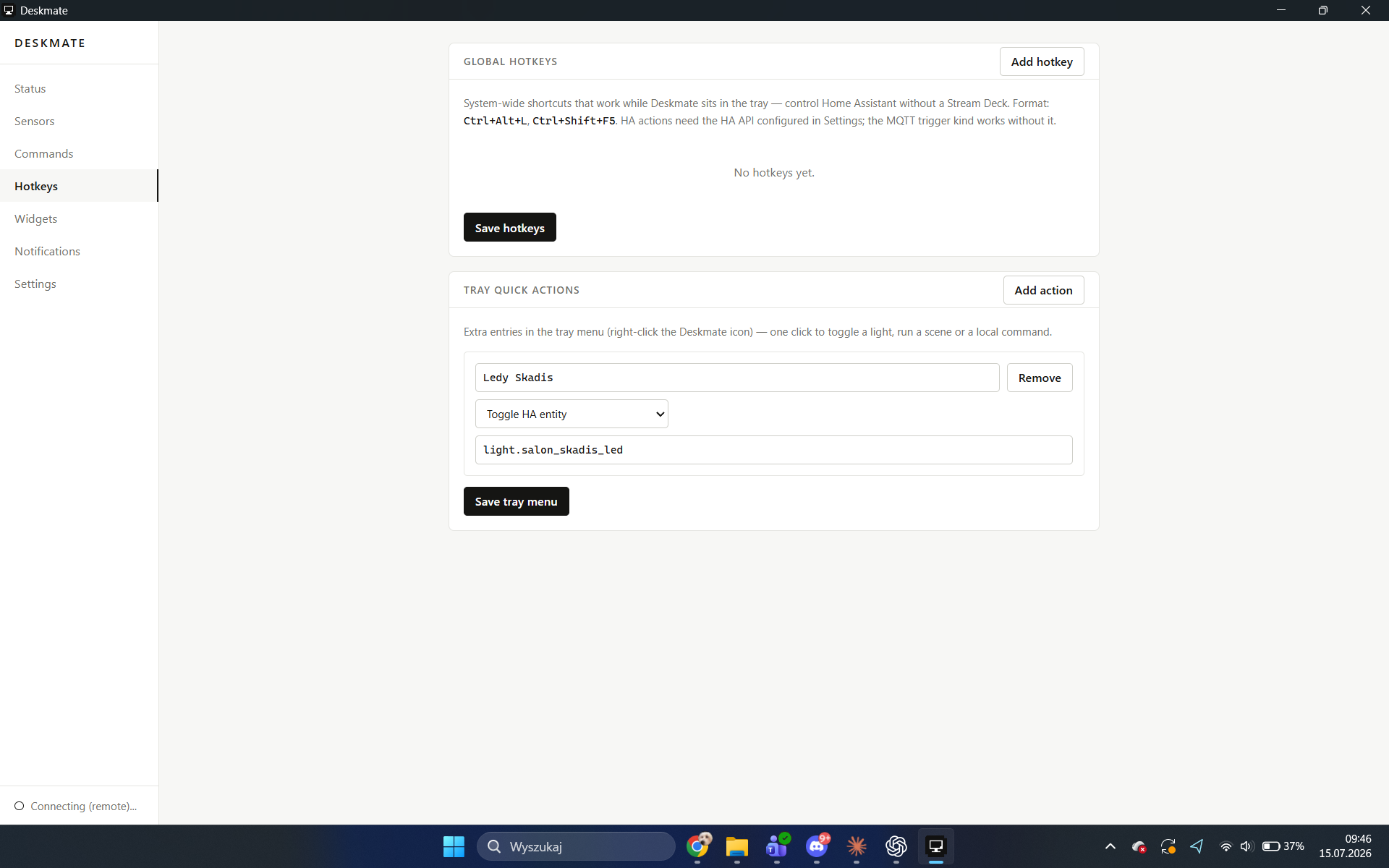
- Global hotkeys — system-wide shortcuts that work while Deskmate sits in
the tray. Bind
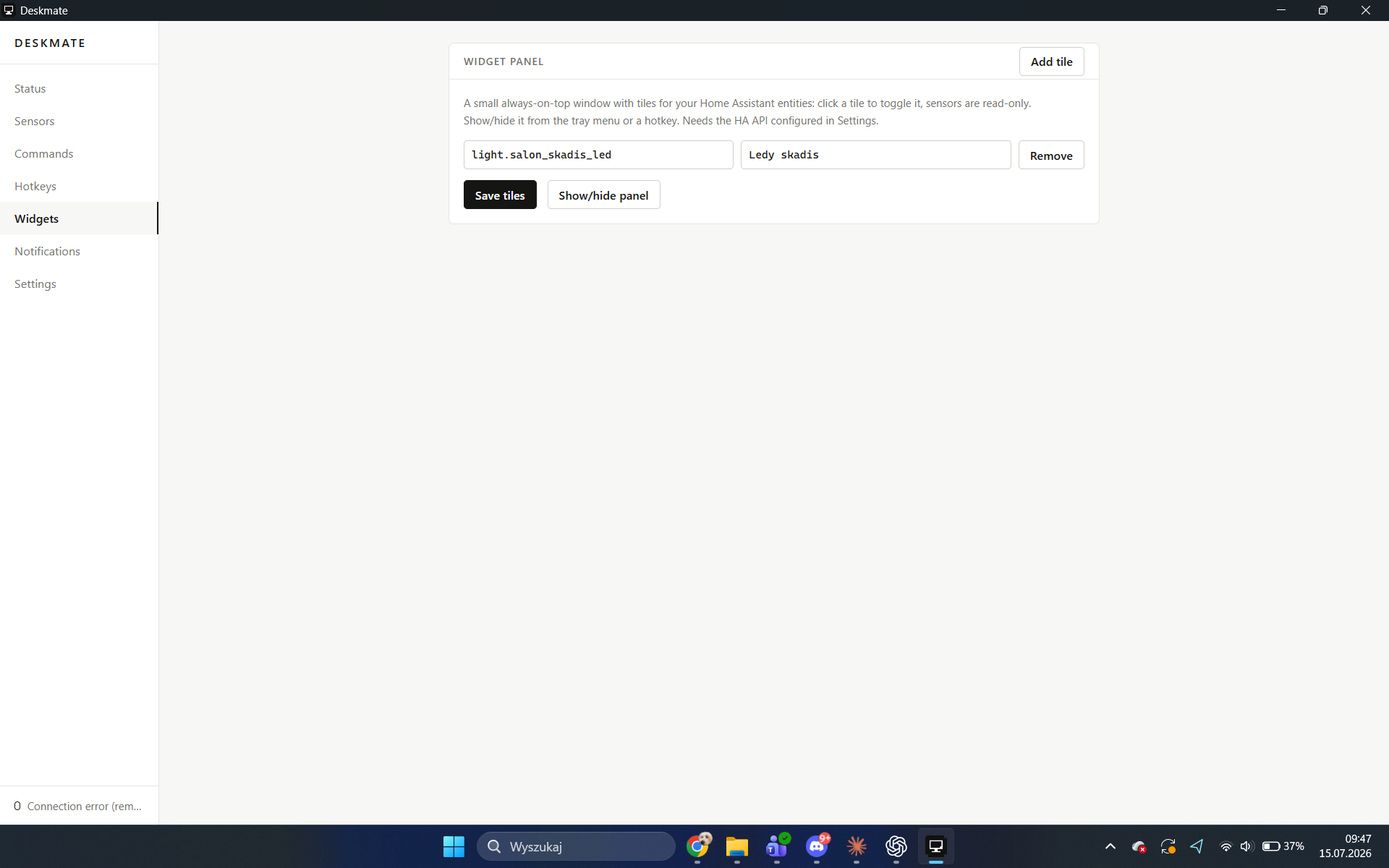
Ctrl+Alt+Lto toggle a light, run any HA service with JSON data, fire a local command, or publish an MQTT device trigger that shows up in HA's automation editor. Control your home without a Stream Deck. - Widget panel — a small always-on-top window with tiles for the entities you pick: click to toggle lights and switches, watch sensor values live. Summon it with a hotkey or from the tray.
- Tray quick actions — your own entries in the tray menu: one click to run a scene, toggle an entity, or execute a local command.
- Dual connectivity with failover — a local broker/HA address plus an optional fallback (e.g. a Tailscale IP). Leave home, Deskmate reconnects through the fallback by itself.
Elgato Stream Deck
A standalone Stream Deck plugin (SDK v2, TypeScript) with Toggle Entity / Call Service / Activate Scene actions and live key state over WebSocket. Works independently of the desktop app.
Requirements
- Windows 11 (x64 or ARM64)
- An MQTT broker reachable from the PC. TLS with a verified certificate is the default (normally port 8883). Plain MQTT is an explicit trusted-LAN-only mode.
- Optional, for hotkeys/widgets/tray acting on HA entities: a long-lived access token (HA profile → Security) entered in Deskmate Settings.
Install
Grab the installer from Releases (Deskmate_x64-setup.exe or
Deskmate_arm64-setup.exe), run it, then:
- Start Deskmate.
- Select TLS, enter the broker hostname from its certificate, port 8883 and a dedicated MQTT username/password. A private CA can be selected as a PEM file.
- Save & connect. Done — check Settings → Devices & services → MQTT in HA.
- (Optional) Settings → Home Assistant API: HA URL + token — this unlocks hotkeys/widgets/tray actions that talk to HA directly.
Configuration lives in %APPDATA%\Deskmate\config.json. Secrets (MQTT
password, HA token) are stored in Windows Credential Manager, never on
disk in plain text.
Security migration note: configs created before these controls move to TLS/8883, clipboard Off and custom commands disabled/confirmation-required. Review Settings after upgrading; credentials remain in Credential Manager.
Building from source
npm install
npm run tauri dev            # development
npm run tauri build          # release for the current architecture
npm run tauri build -- --target x86_64-pc-windows-msvc   # cross to x64
Toolchain: Node 20+, Rust stable (aarch64-pc-windows-msvc and/or
x86_64-pc-windows-msvc). No C compiler needed on either architecture.
Notifications from Home Assistant
See docs/HA-SETUP.md for copy-paste scripts. Quick test from Developer Tools → Actions:
action: mqtt.publish
data:
  topic: deskmate/YOUR_NODE_ID/notify
  payload: >-
    {"title": "Backup", "message": "Run nightly backup now?",
     "image": "http://your-ha:8123/local/img.png",
     "actions": [{"title": "Run", "action": "run"},
                 {"title": "Skip", "action": "skip"}]}
The clicked button arrives as {"action": "run"} on
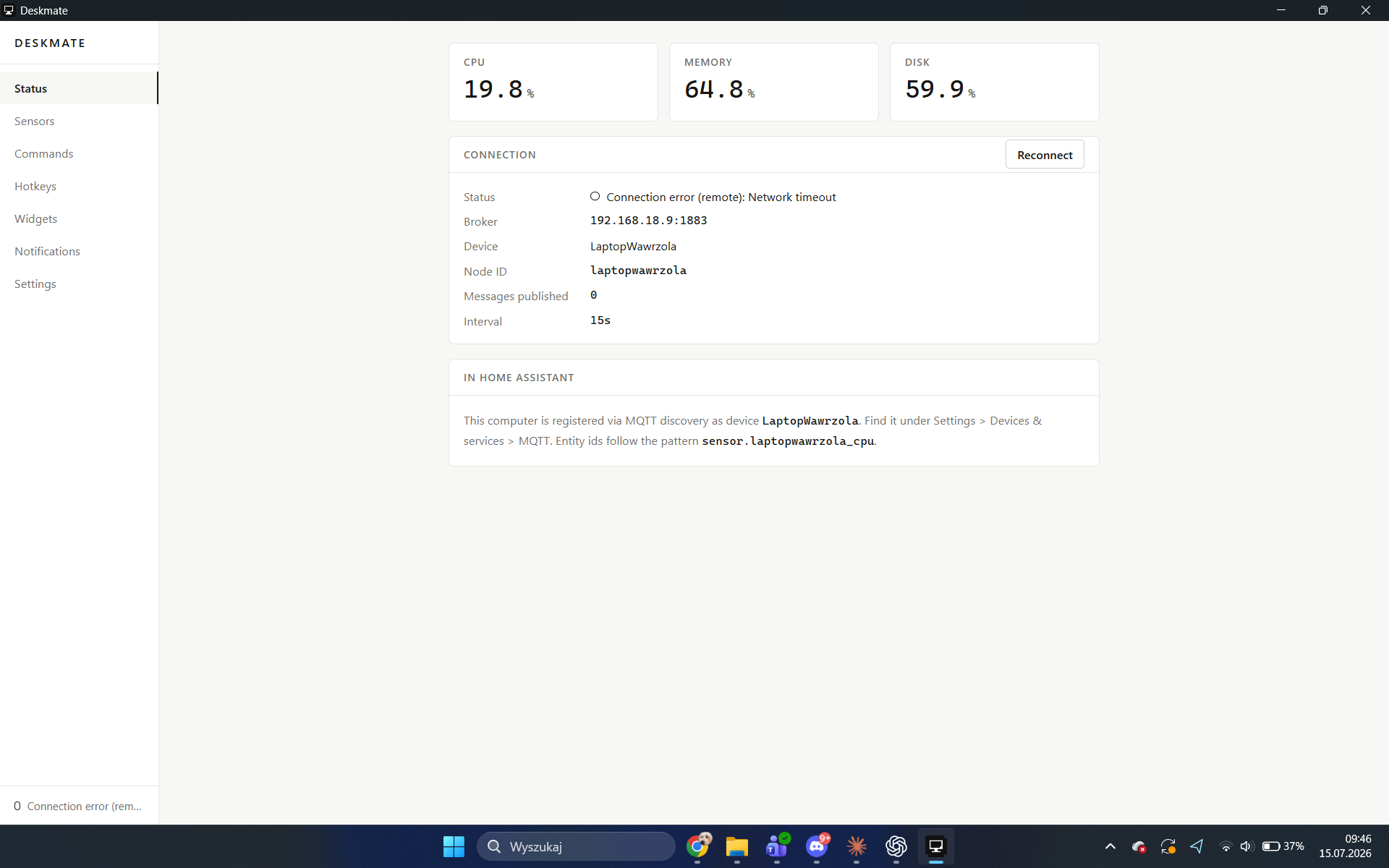
deskmate/YOUR_NODE_ID/notify/action. The node id is shown on the Status page.
Security model
- MQTT TLS is the default. Deskmate verifies broker certificates through Windows Schannel or a selected PEM CA. Plain MQTT is explicitly marked insecure and cannot be used with a fallback broker address.
- Use a dedicated MQTT identity and per-node ACL. Anyone allowed to publish to a device's built-in command topics can control that PC; topic names are not secrets.
- MQTT payloads are never executed. Built-ins use a fixed allowlist. Custom PowerShell commands are disabled until enabled, can require confirmation, and receive only a sanitized environment variable.
- Clipboard publication and writes are independent, default-off capabilities with Off / Confirm / Automatic modes. Both stop while Windows is locked; writes are size-limited and rate-limited.
open_urland notification images require strict HTTP(S) parsing and an exact allowlisted origin. Configured HA API origins are allowed automatically.- Retained MQTT messages are ignored for commands and notifications, preventing replay after reconnect. TTS, clipboard, toast fields and notification rate are bounded.
- MQTT passwords and HA long-lived tokens live in Windows Credential Manager,
never in
config.json. HA fallback REST URLs are HTTPS-only. Security events are logged locally without payload contents or credentials.
Read the full threat model, exact Mosquitto TLS/ACL setup, clipboard semantics, residual risks and deployment checklist in docs/SECURITY.md.
Known issues
- Toast action buttons don't render on every machine. The toast shows with
the correct title, message, image and "HomeOS" branding, but the action
buttons (from the
actionsfield in the notify payload) sometimes don't appear — even though the app builds and sends them correctly (protocol activation,deskmate:action?name=...). Root cause not yet identified; suspected causes include Windows requiring a COM background activator (ToastActivatorCLSID) for interactive buttons rather than plain protocol activation, or per-machine Focus Assist/notification settings. If you hit this, please open an issue with your Windows build number — reports help narrow it down. - In-process WinRT toast delivery (
.show()) fails on some machines due to a COM apartment issue in the unpackaged process; Deskmate transparently falls back to spawning a short-livedpowershell.exeto render the toast instead. This is expected and handled, not a bug — mentioned here for transparency.
Project docs
- docs/ARCHITECTURE.md — how it is put together
- docs/HA-SETUP.md — Home Assistant side setup
- docs/ROADMAP.md — where this is going
- docs/SECURITY.md — security threat model and hardening plan
- docs/RELEASE-0.3.1.md — GitHub release notes for the security update
- streamdeck-plugin/README.md — Stream Deck plugin
- HANDOFF.md — working state, for contributors and AI agents (Polish)
Comments