🇬🇧 English | 🇮🇹 Italiano

Casa Dashboard Community is an app-like dashboard for Home Assistant, built as a complete custom panel and designed to adapt to very different installations without relying on traditional Lovelace cards.
Casa Dashboard Community v2.1.2 includes two visual experiences, Casa V1 and Casa V2, dynamic rooms, in-dashboard entity configuration and native English / Italian language support.
The Community Edition uses the technical domain casa_dashboard_community, the panel casa-dashboard-community and the dedicated file /config/www/casa-dashboard-community-entities.json, so it can coexist with other Casa Dashboard installations without overwriting them.
Created by Fabio Vittori · ☕ Buy me a coffee
🚀 Version 2.1.2
Version 2.1.2 adds native English / Italian language support directly inside the dashboard.
You can switch the interface language between:
- 🇬🇧 English
- 🇮🇹 Italiano
The selected language is remembered on the current browser/device.
Custom room names and Home Assistant entity names remain exactly as configured by the user.
✨ Casa V1 + Casa V2
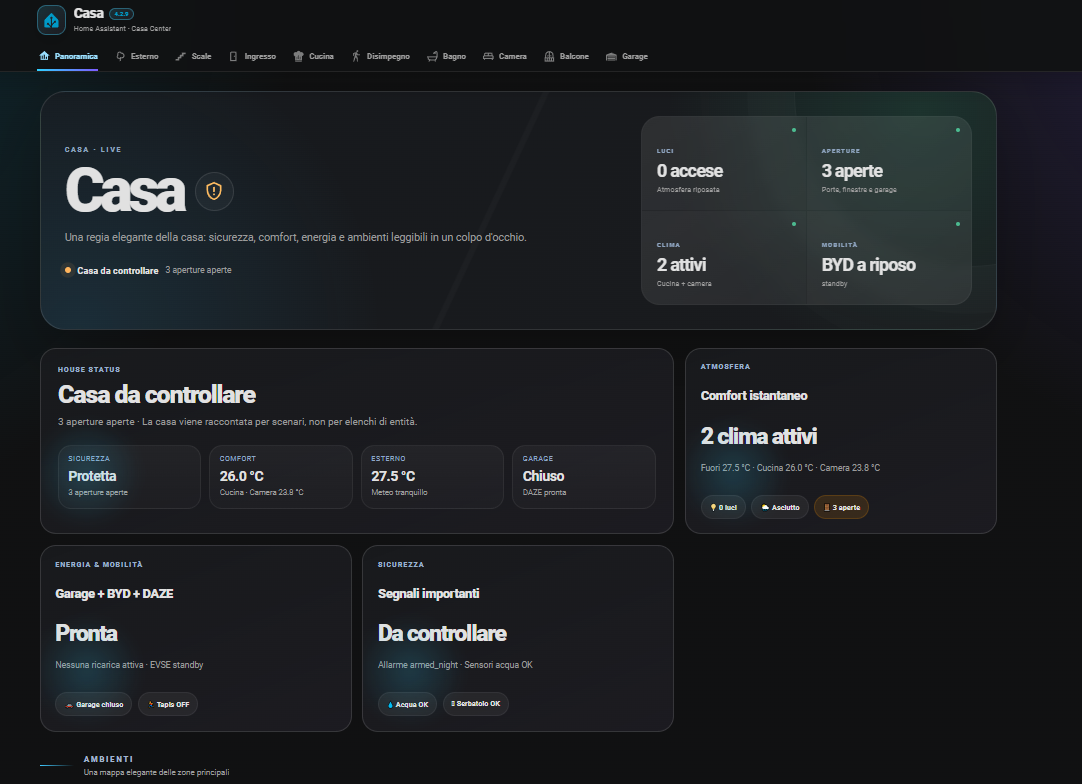
Casa V1 — Classic
The original Community interface remains available for users who prefer the classic experience from the 1.x series.
Casa V2 — Dynamic
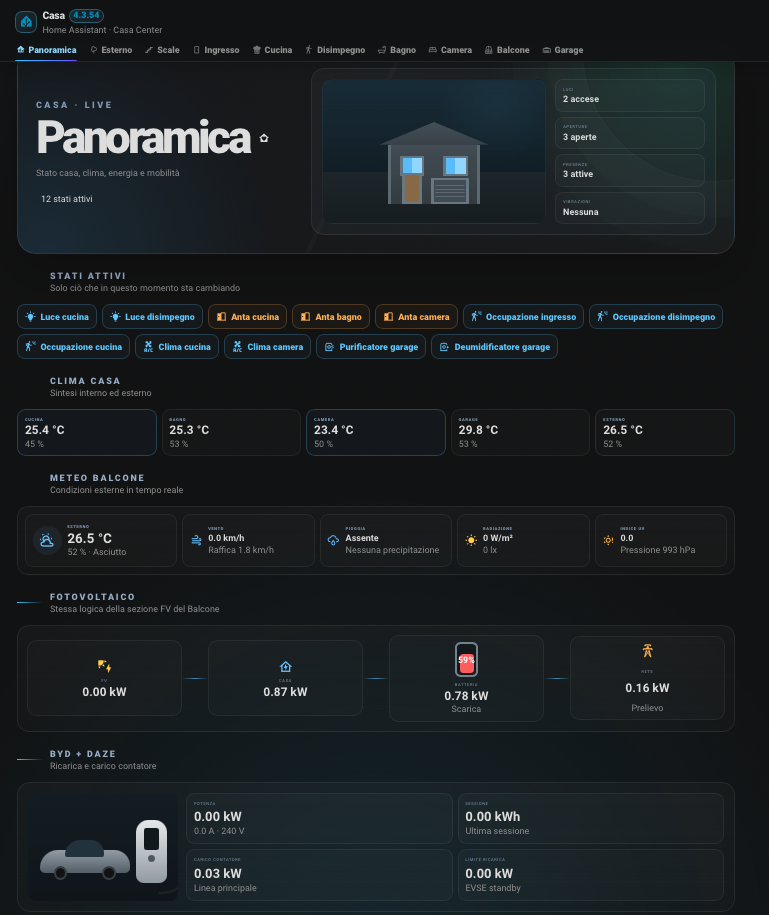
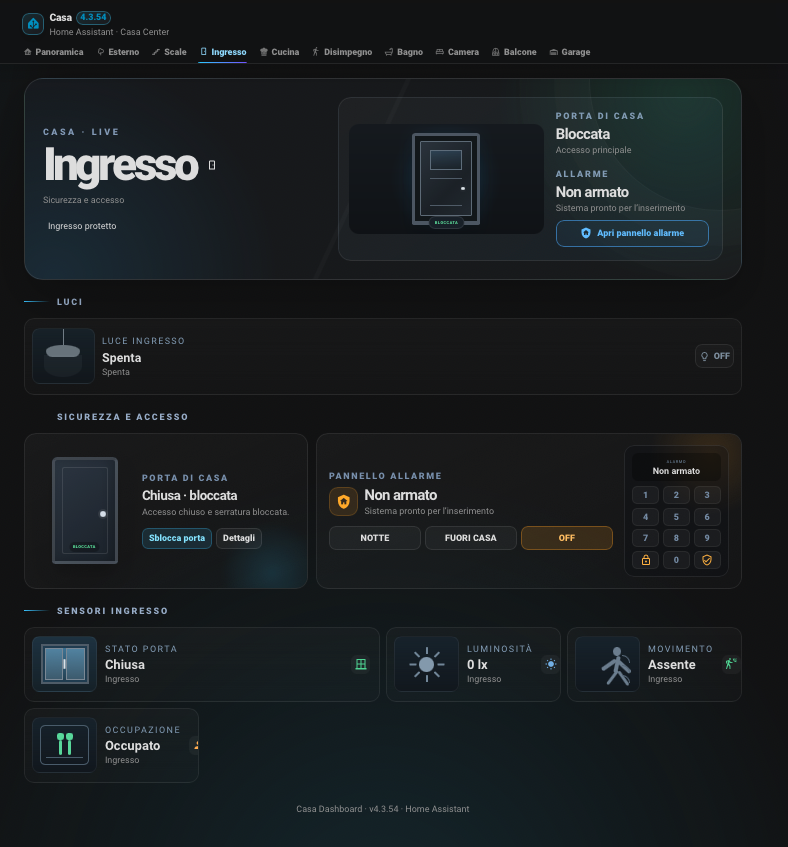
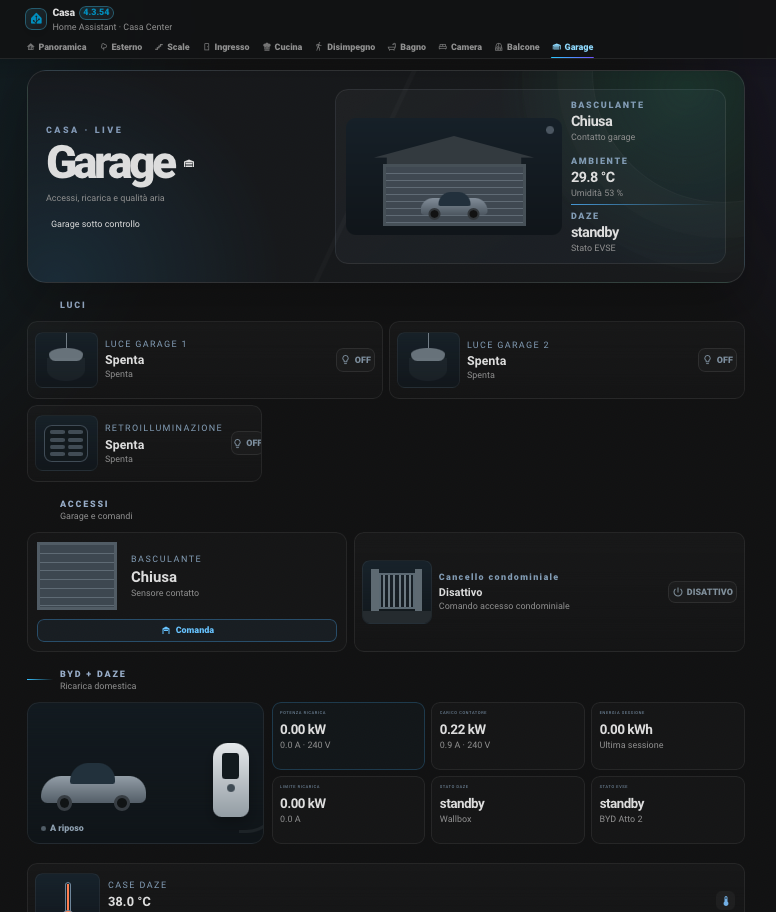
Casa V2 introduces a more visual experience with dedicated room scenes, contextual device visuals and an Overview focused on the information that actually matters.
V2 screenshots show an example installation. Solar, EV, Wallbox and other devices are optional and only appear when configured.
V2 Overview
V2 Entrance
V2 Garage
🏠 Dynamic rooms
With Casa V2, rooms are no longer tied to the structure of the original house.
You can:
- create new rooms;
- freely choose room names;
- select the room type;
- select the room icon;
- reorder rooms;
- remove unused rooms;
- create multiple rooms of the same type;
- assign multiple Home Assistant entities to the same room.
Visual room types include Kitchen, Bathroom, Bedroom, Living Room, Office, Laundry Room, Basement, Garage, Balcony/Terrace, Outdoor, Stairs, Entrance, Hallway and Generic Room.
⚙️ Advanced visual configurator
Configuration is handled directly from the dashboard using Configure.
Entities can be searched using:
- the Home Assistant assigned name (
friendly_name); entity_id;- a custom display name chosen inside Casa Dashboard Community.
Existing Community associations are imported into rooms during the first room configuration. After the first save, the Rooms section becomes the source of truth: entities manually removed from a room are not automatically added again.
The configurator also keeps the 173 Community logical mappings used by global and specialized dashboard functions.
🏷️ Smart device recognition
Casa V2 uses multiple pieces of information to choose the most appropriate icon and visual:
- custom display name;
- Home Assistant friendly name;
- recognized function;
- Home Assistant icon;
device_class;- entity domain.
For example, a generic smart plug can be displayed as an Air Fryer if that is the name assigned to it.
Many categories are recognized, including lights, LED strips, sockets, air fryers, blenders/Thermomix, ovens, microwaves, dishwashers, washing machines, dryers, TVs, climate devices, air purifiers, dehumidifiers, gates, pedestrian gates, garage doors, blinds, shutters, robots, irrigation, robotic mowers, alarms, environmental sensors, Wallbox/EV, solar, inverters and batteries.
📊 V2 Overview
The new V2 Overview avoids duplicating the room list and focuses on:
- active states;
- main temperatures;
- outdoor and weather conditions;
- solar and battery;
- Wallbox and electric vehicle.
Sections with no useful configured entities remain hidden.
🌍 Languages
The dashboard interface can now be switched between:
- 🇬🇧 English
- 🇮🇹 Italiano
The language selector is available directly in the dashboard header.
The translation system covers Casa V1, Casa V2, the Overview, dynamic rooms, the configuration interface, the Information page and the main status/control labels.
Home Assistant entity names and custom room names are intentionally preserved.
🔄 Migration from the 1.x series
The update keeps the Community configuration separate.
During the first use of the new Rooms manager, existing Community mappings are used to initialize compatible rooms. After saving, rooms are managed directly by the new configuration.
Casa V1 is not removed: it remains selectable alongside Casa V2.
📱 Responsive
Both experiences are designed for desktop and mobile with adaptive menus and layouts.
📦 HACS installation
- Open HACS.
- Add
https://github.com/fabiovit/casa-dashboardas a custom repository of type Integration, or use the Add to HACS button above. - Install Casa Dashboard Community.
- Restart Home Assistant.
- Go to Settings → Devices & services → Add integration.
- Search for Casa Dashboard Community.
- Open the dashboard and press Configure.
📦 Manual installation
- Copy
custom_components/casa_dashboard_communityinto/config/custom_components/. - Restart Home Assistant.
- Add Casa Dashboard Community from Settings → Devices & services.
- Open the dashboard and configure rooms and entities.
ℹ️ Note
Casa Dashboard Community is an advanced template. Every Home Assistant installation is different: devices, sensors, automations, solar, EV and Wallbox are optional.
Unconfigured functions remain hidden.
☕ Support
If you like the project and want to support its development: Buy me a coffee on Ko-fi.
Comments