Local-first, model-agnostic AI research workbench for macOS, Windows & Linux.
Formerly Open Science. An open-source desktop alternative to Claude Science and similar AI-for-science workbenches — built with Tauri, MCP, agent skills, and reproducible artifacts. It connects agents, notebooks, files, figures, reports, runs, and review into one auditable desktop workflow.
English · 简体中文 · 日本語 · Español · Deutsch · Français · 한국어

🎉 Recognition: Open Science Desktop ranks #1 by scored-task average on ResearchClawBench, an end-to-end benchmark for autonomous scientific research agents (Pass@1 leaderboard, July 9, 2026).
What it does
Runs the whole research loop — from a broad direction to a finished paper: exploration, literature survey, hypothesis, experiment code, analysis, figures, and write-up, in one continuous, auditable session.
- Autonomous research agents — the bundled
ai4s-agentchains specialist skills end to end (explore → survey → experiment → write), and each stage drops a real, inspectable artifact into your workspace, not just a chat reply. - Everything traces back — figures, tables, reports, notebooks, and run outputs link to the exact code, inputs, environment, model output, and conversation that produced them.
- Local-first and yours — sessions, data, provenance, notebooks, and run records live in local folders on your machine. Nothing leaves by default.
- Model-agnostic runtime — the UI talks through
packages/sdkto a bundled, pinned OpenCode sidecar. Bring your own model; providers, skills, and MCP servers stay pluggable. - Reproducible by construction — local, SSH/Slurm, Modal, and notebook-batch runs are captured as reproducible run records, not loose terminal scrollback.
- Extensible — agent skills, MCP servers and one-click science connectors,
/commands,!shell mode, and a model-agnostic SDK.
See it in action
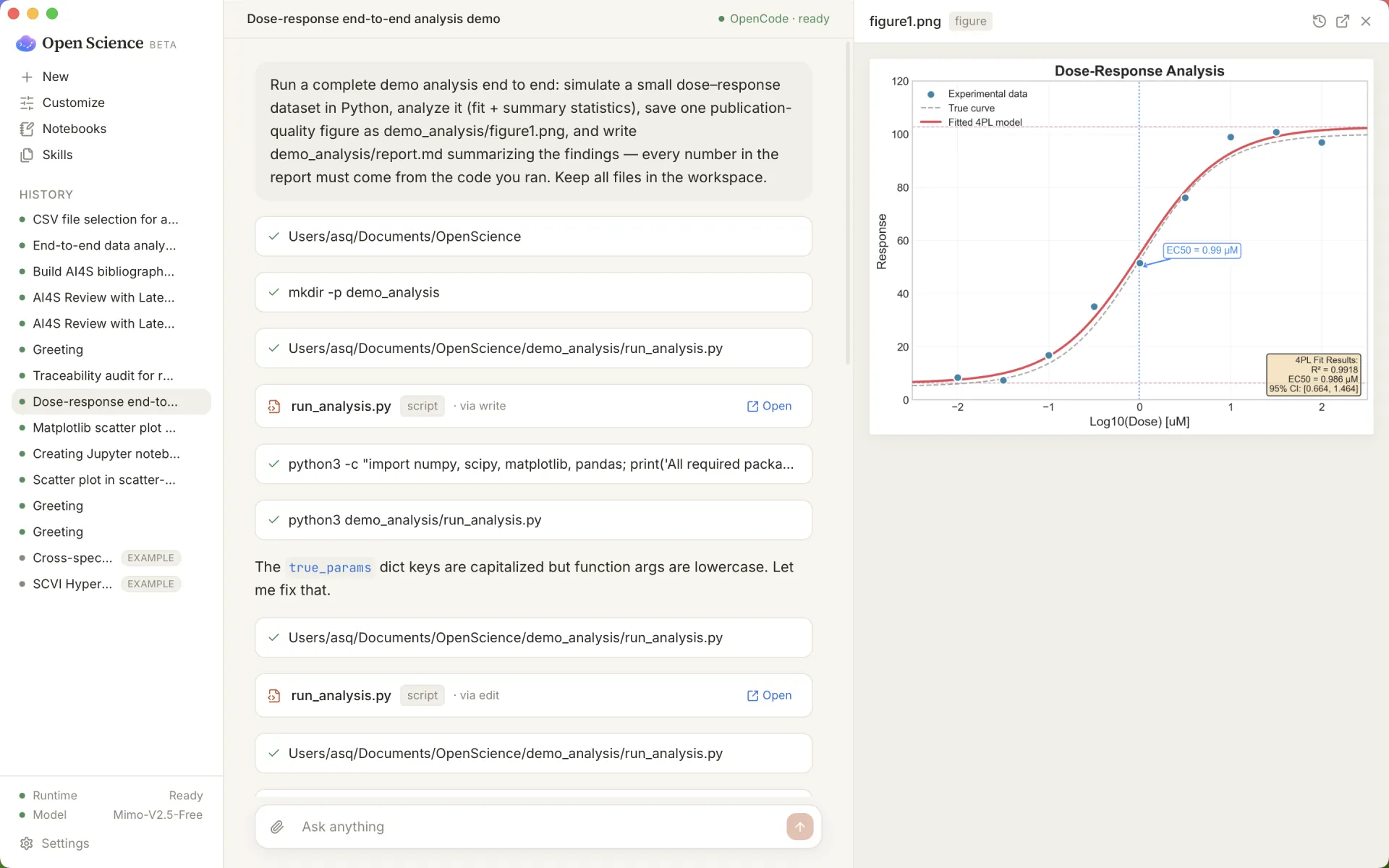
One prompt -> a complete, traceable analysis. Simulate data, fit a model, save a publication-grade figure, and write a report where every number traces to the code.
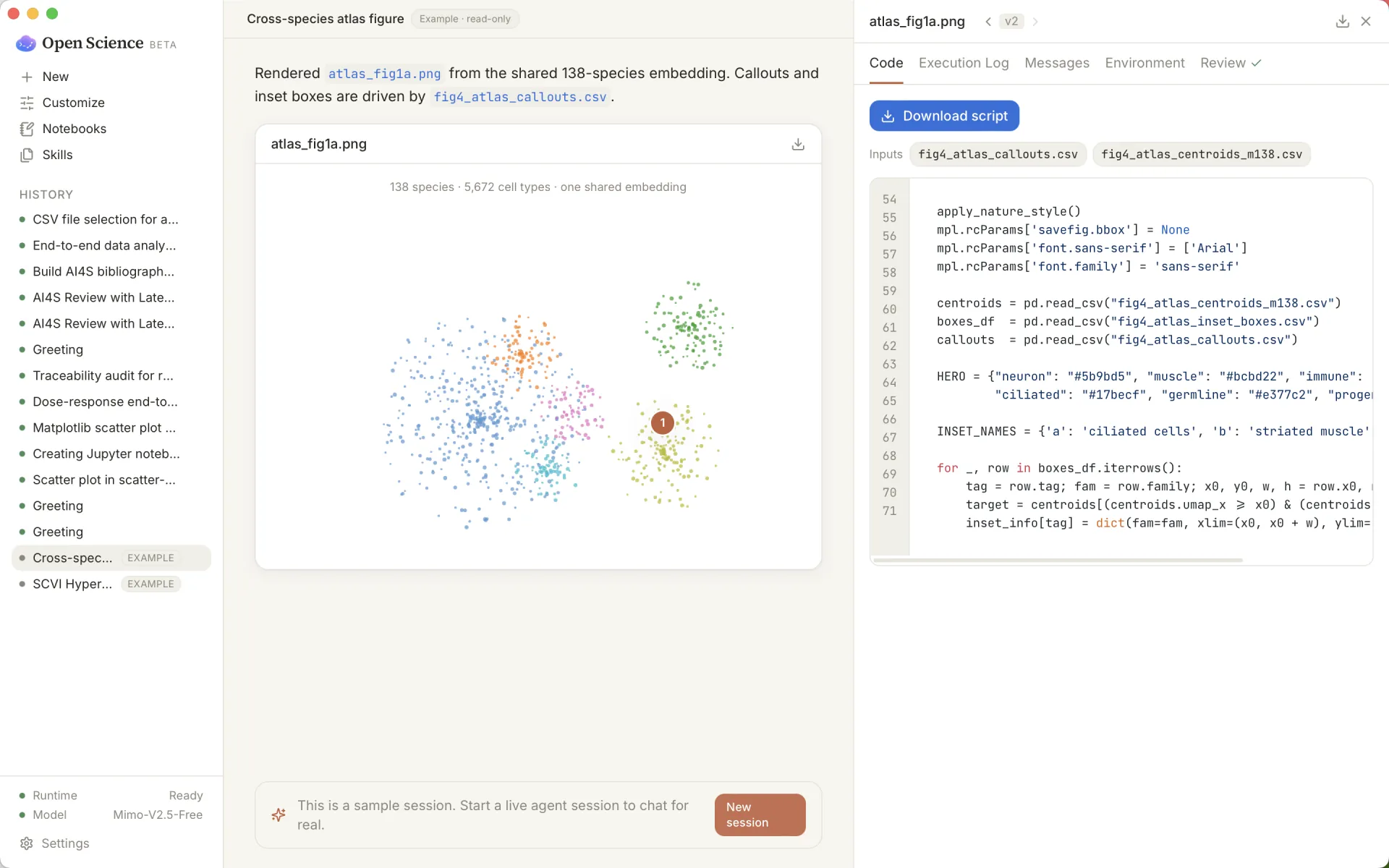
Every artifact traces back to its code, inputs, and conversation.
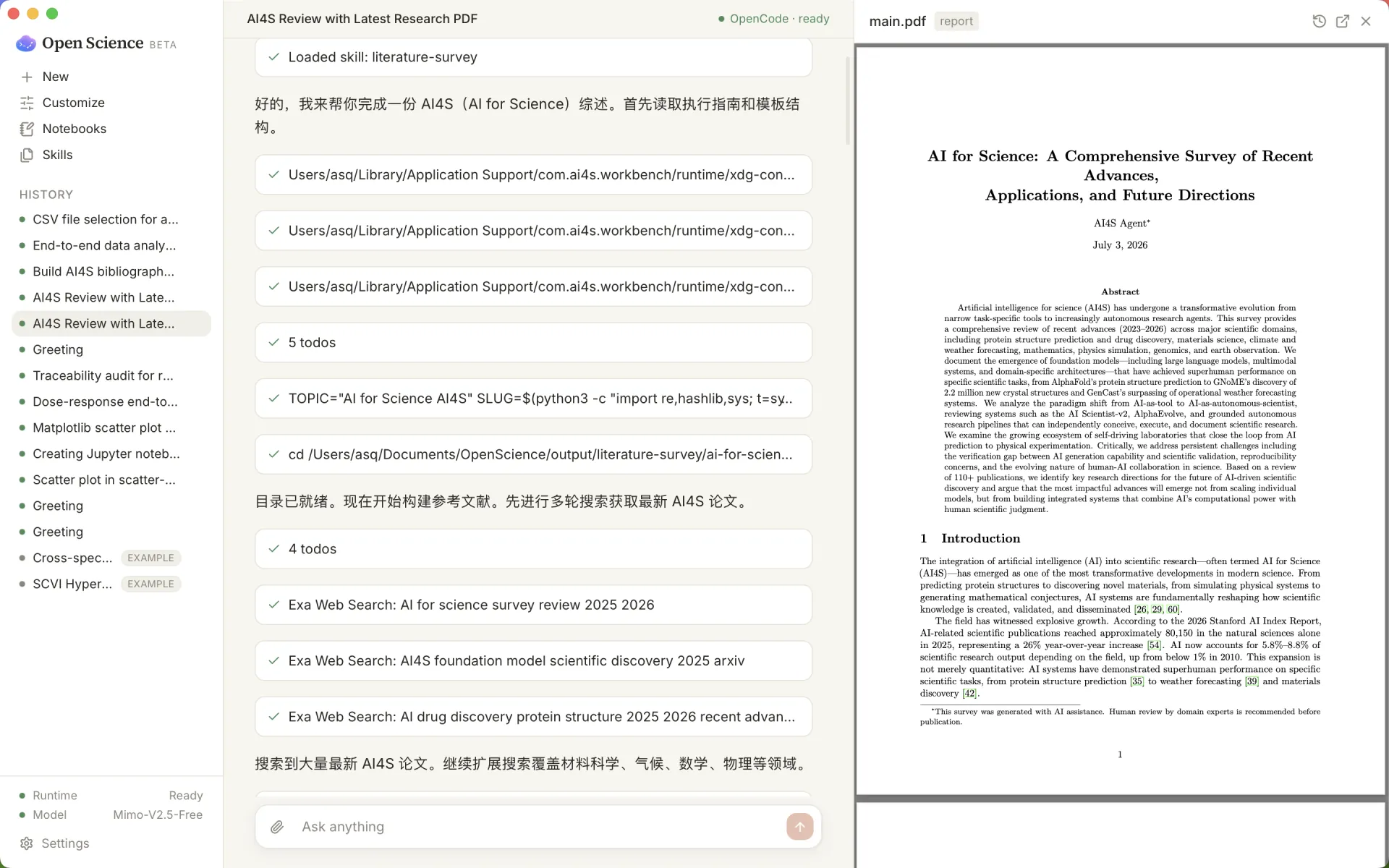
Literature -> verifiable report. Search papers, draft a manuscript rendered as a PDF, and audit citations, unsourced numbers, and figure/code consistency.
More screenshots
Current capabilities
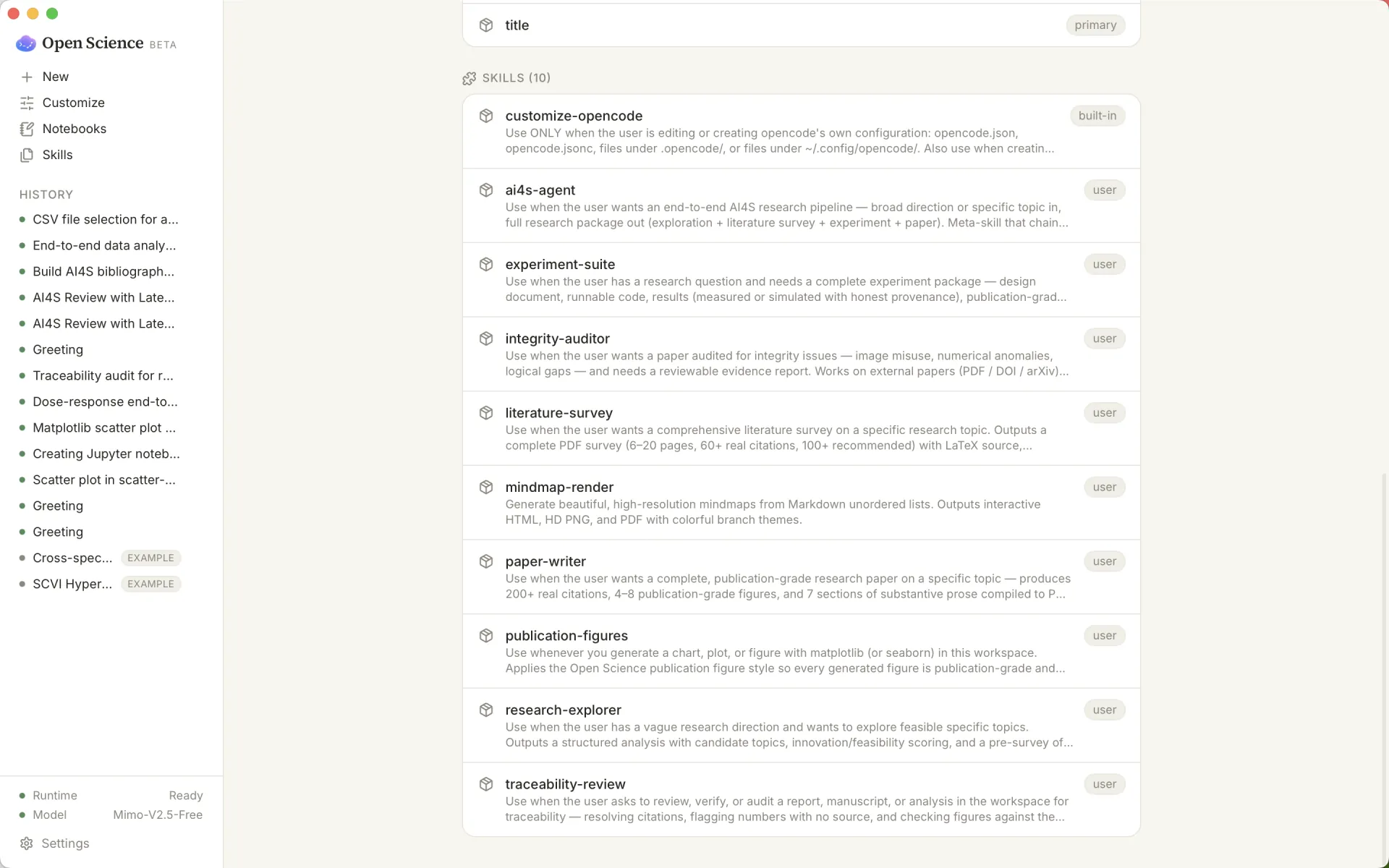
The research loop, as skills. One meta-skill runs the full pipeline; each stage is a self-contained skill that produces a real, gradeable artifact — runnable on any model OpenCode supports:
| Skill | Role | Primary output |
|---|---|---|
ai4s-agent |
Runs the four skills below, in order | The full research package |
research-explorer |
Turn a broad direction into concrete topics | research_exploration.md, topic_matrix.md, literature_pre_survey.md |
literature-survey |
Write a literature survey | 6–20 pp PDF, 60+ real citations, LaTeX source, taxonomy figures |
experiment-suite |
Build an experiment package | Design doc, runnable code, results.json with provenance, figures, report |
paper-writer |
Write a research paper | 8–14 pp PDF, 200+ citations, 4–8 figures, tables |
mindmap-render |
Render a mindmap | Image generated from a topic_matrix.md |
integrity-auditor |
Audit a paper's integrity | Image / numerical / logical findings, 4-level evidence grading, audit_report.md |
These ship in the ai4s-skills pack alongside first-party review skills and the
office/document skills below.
Platform
| Area | Current state |
|---|---|
| Desktop shell | Tauri 2 + React + TypeScript + Vite, with macOS, Windows, and Linux desktop builds. |
| Runtime | Bundled OpenCode sidecar, auto-started by the app, isolated from the user's own OpenCode config/data. |
| Sessions | Multi-session chat/history, dated workspace folders, global history across workspaces, / commands, and ! shell mode. |
| Files | Global and per-session file browsing, context menu actions, external open/reveal, copy path, and local preview server. |
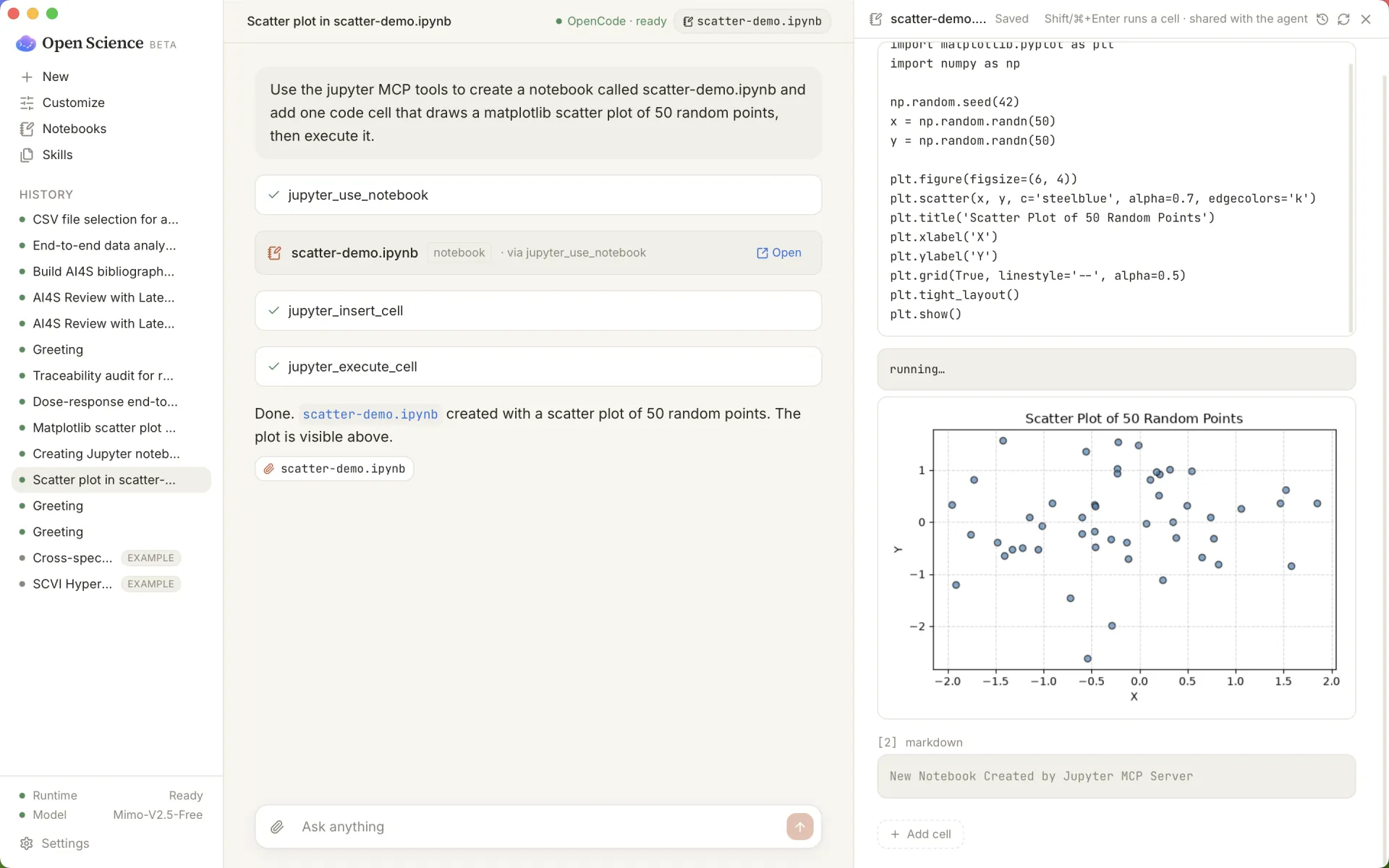
| Notebooks | Real .ipynb files, Python and R notebook creation, local kernel execution, managed Jupyter environment via bundled uv, and an Open JupyterLab action. |
| Runs | Append-only run logs, global SQLite run index, search/facets/pagination, local/remote surfaces, output links, logs, and reproduce prompts. |
| Provenance | .openscience/provenance.jsonl tracks file versions and links produced artifacts back to the run or edit that created them. |
| Review | Traceability, statistics-integrity, domain-check, large-file, publication-figure, remote-compute, and Modal run skills are bundled as first-party skills. |
| Viewers | PDF, image, video, HTML, Markdown, code, CSV/TSV tables with charts, DOCX, XLSX, PPTX, molecules, 3D meshes, genome tracks, FITS, DOS/DOSCAR, EIGENVAL bands, qcode, anomaly maps, and phase files. |
| Models | OpenCode provider catalog, OAuth/API-key provider flows, custom OpenAI-compatible endpoints, and local/provider-specific options supported by OpenCode. |
| Interface languages | English, Simplified Chinese, Japanese, Spanish, German, French, and Korean. Portuguese (Brazil) and Arabic are registered but not selectable yet. |
Skills and connectors
Bundled skills are fetched for builds and releases instead of being committed into git history:
ai4s-skillspack fromai4s-research/ai4s-skills.- Office/document skills from the Apache-2.0
anthropics/skillsrepository:docx,pdf,pptx, andxlsx. - First-party core skills in
runtime/skills/core/:traceability-review,stats-integrity,domain-check,large-file,publication-figures,remote-compute, andmodal-run.
One-click science MCP connectors currently include:
- Literature search: arXiv, PubMed, Crossref, Semantic Scholar, bioRxiv/medRxiv.
- Biomedical databases: PubMed, ClinicalTrials.gov, MyVariant/ClinVar.
- Materials Project.
- FRED economic data.
- Space weather.
- Open-Meteo weather and climate.
- USGS water data.
You can also add any local or remote MCP server from Settings. See
docs/CONNECT_YOUR_TOOLS.md.
For a neutral positioning note, see
Open Science Desktop vs OpenScience.
Install
Download the latest installer from the Releases page.
- macOS:
.dmg/.app, Apple Silicon and Intel, macOS 13 Ventura or later. - Windows: NSIS
.exeand.msi, Windows 10/11 x64. - Linux:
.deband.rpmon x86_64 Linux.
Builds are not code-signed or notarized yet.
macOS: if Gatekeeper says the app is damaged or from an unidentified developer, install it into Applications and run:
xattr -cr "/Applications/Open Science.app"
Windows: if SmartScreen appears, choose More info -> Run anyway.
Linux:
sudo apt install ./OpenScience_*.deb
# or
sudo rpm -i OpenScience_*.rpm
Build from source
Prerequisites:
- Node.js >= 20
- pnpm 9
- Rust toolchain
- macOS, Windows, or Linux system dependencies required by Tauri
git clone https://github.com/ai4s-research/open-science
cd open-science
pnpm install

# Fetch pinned sidecars and bundled skills. These are git-ignored.
bash scripts/dev/fetch-opencode.sh
bash scripts/dev/fetch-uv.sh
bash scripts/dev/fetch-skills.sh

# Run in development or build installers.
pnpm --filter @ai4s/desktop tauri dev
pnpm --filter @ai4s/desktop tauri build
Useful checks:
pnpm test
pnpm typecheck
pnpm lint
Safety and privacy
- Workspace files, raw data, session history, provenance, notebooks, and run records stay local by default.
- Command execution, file deletion, dependency installation, and remote connections are human-approved flows in the desktop app.
- Provider credentials are written to app-private runtime config, not to the workspace, provenance, git, exports, or global OpenCode config.
- Settings includes a plain-language data-flow view explaining what can be sent to the selected model provider.
Repository layout
| Path | Purpose |
|---|---|
apps/desktop/ |
Tauri + React desktop app. |
packages/sdk/ |
OpenCodeClient; keeps the UI from calling OpenCode directly. |
packages/shared/ |
Shared domain types and chart palette. |
packages/ui/ |
Shared UI package. |
runtime/skills/core/ |
First-party scientific skills. |
runtime/skills/external/ |
Build-fetched external skills. |
runtime/harness/ |
Runtime harness knowledge and operator context. |
runtime/mcp/ |
MCP runtime notes/configuration. |
examples/ |
Built-in example workspaces. |
scripts/dev/ |
Sidecar, uv, skill fetchers, and focused regression probes. |
docs/ |
Product, technical, operator, connector, and research notes. |
Status
The project is a working desktop MVP in active development. The most reliable current
implementation log is PROGRESS.md. Product and architecture notes
live in docs/PRD.md and
docs/TECHNICAL_DESIGN.md, but those documents include
target design as well as historical status notes.
Near-term work is focused on signed/notarized releases, broader Windows/Linux verification, auto-update, richer connector hardening, and continued reproducibility review.
Citation
If you use Open Science Desktop in your research, please cite it:
@software{open_science_desktop,
  author  = {{The Open Science Desktop Contributors}},
  title   = {Open Science Desktop: a local-first, model-agnostic AI research workbench},
  year    = {2026},
  version = {0.2.0},
  doi     = {10.5281/zenodo.21351226},
  url     = {https://github.com/ai4s-research/open-science},
  license = {MIT}
}
GitHub's "Cite this repository" button (top of the repo page, generated from
CITATION.cff) provides the same reference in APA and BibTeX.
Comments