If you've ever wanted to make your own Nintendo 64 game but gave up after five minutes of staring at ancient SDK documentation, I get it. The N64 development scene has always been one of those things where you needed to be borderline masochistic to get anything done. Setting up compilers, fighting toolchains from the 90s, manually wrangling low-level hardware stuff — it was rough.
Well, that just changed. A developer named Max Bebök (you might know him as HailToDodongo if you follow the N64 modding scene) just released Pyrite64 — an open-source game engine and visual editor built specifically for making real N64 games. And when I say "real," I mean games that actually run on original N64 hardware, not just retro-styled stuff running on modern engines.

So What Exactly Is Pyrite64?
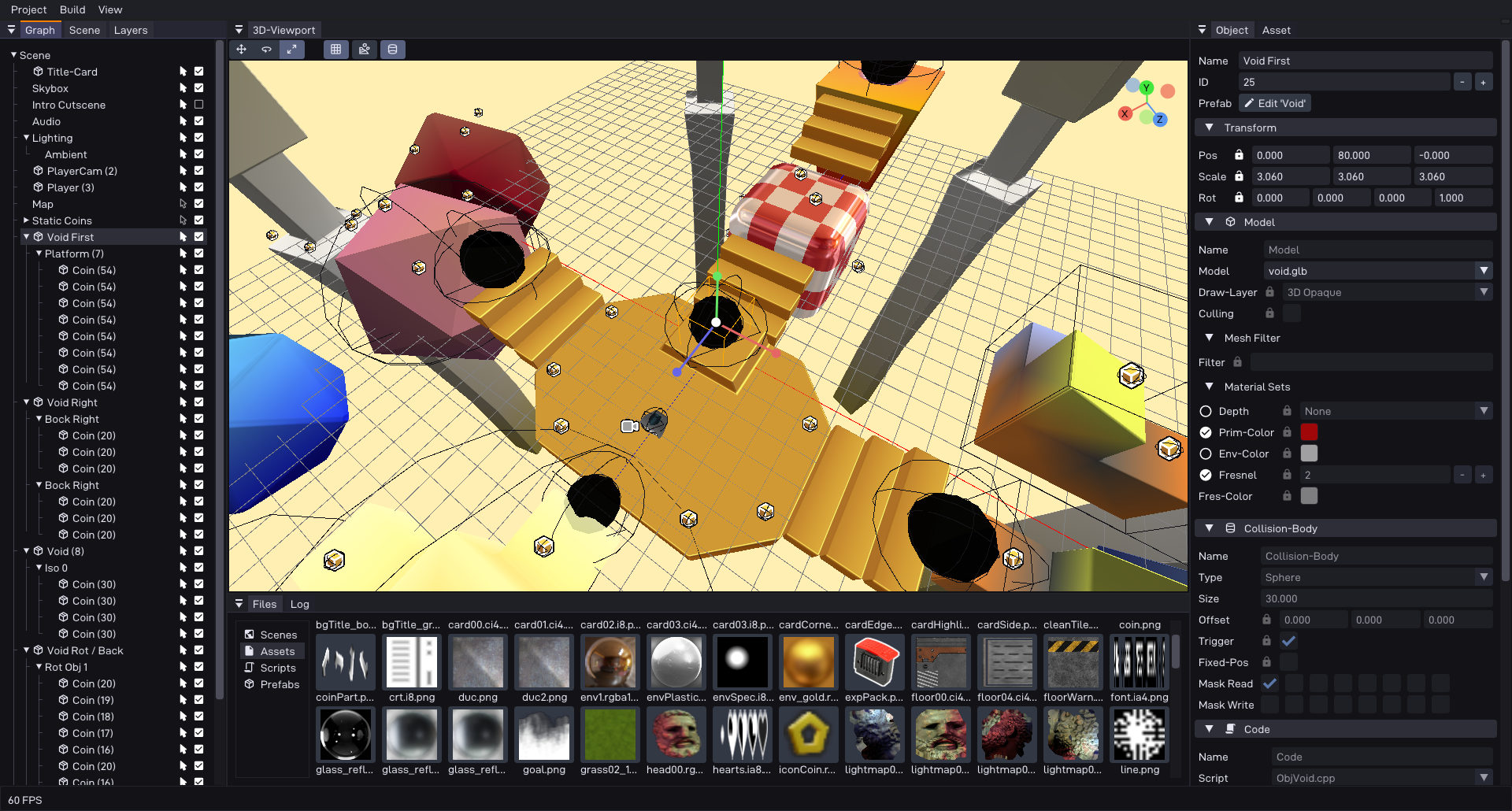
Think of it like a simplified Unity or Godot, but instead of targeting PC or mobile, it targets the Nintendo 64. You get a proper visual editor where you can drag and drop assets, manage scenes, and build out levels without wanting to throw your keyboard out the window.
Under the hood it's built on libdragon and tiny3d — both community-made, open-source tools. No proprietary Nintendo SDKs involved at all, which keeps everything legally clean.

Here's what you get:
- A visual editor that feels familiar if you've ever touched Unity or Godot
- Import 3D models straight from Blender using the Fast64 plugin
- Write gameplay logic in C++ scripts
- A node-graph editor for scripting event sequences
- Built-in asset manager with automatic memory cleanup
- Runtime engine handling scene management, rendering, collision, and audio
- Built-in toolchain manager so you don't have to set up compilers manually
How to Get Started
Getting Pyrite64 running is surprisingly painless compared to traditional N64 dev setups. Here's the quick version:
- Head to the GitHub releases page and download the latest build for your platform
- Extract the ZIP wherever you want on your machine
- Launch
pyrite64.exe(orpyrite64on Linux) - On first launch it'll tell you there's no N64 toolchain found — just click "Install Toolchain" and the editor walks you through it automatically
- That's basically it. First build takes a bit longer since the engine compiles once, but after that you're rolling
The editor also comes bundled with Cathode Quest 64 as an example project, so you can immediately open it up and see how a full game is structured.

You Still Need to Know How to Code
Let's be real — this isn't RPG Maker for the N64. You still need a working knowledge of C/C++ to actually build game logic. Pyrite64 takes away a massive chunk of the pain around environment setup, asset pipelines, and low-level hardware management, but you're still writing code at the end of the day.
That said, the barrier to entry went from "you need to be an embedded systems engineer with a passion for suffering" to "you need to know some C++ and be willing to learn." That's a huge difference.
Cathode Quest 64 — Proof It Actually Works
The engine isn't just theoretical. Bebök used Pyrite64 to build Cathode Quest 64, a game submitted to the N64Brew 2025 GameJam. It's included as a sample project in the repo so you can open it up, poke around, and see how everything fits together.
People who tested it on real hardware are saying the visuals are genuinely impressive — lightmaps, shadows, bloom effects, stuff that honestly looks better than some commercial N64 titles from back in the day. The N64 community has been losing their minds over it, and fair enough.
A Few Things to Keep in Mind
Bebök is upfront about this: Pyrite64 is not fully ready for general use yet. The source code got released because it was built for a game jam, and the community was hyped to see it. But Windows and macOS support is still work-in-progress, documentation is incomplete, and things might break.
A proper stable release is coming, but for now you're getting in on the ground floor. If you're comfortable with early-stage open-source projects and don't mind getting your hands dirty, go for it. If you need everything to just work out of the box, maybe bookmark it and check back later.
Also worth noting — games built with Pyrite64 require accurate emulation to run properly. The developer recommends Ares (v147 or newer) or gopher64 if you're testing in an emulator.
Why This Actually Matters
The N64 homebrew scene has been growing steadily, but the tooling was always the bottleneck. Talented people with great game ideas would hit a wall just trying to get a basic project compiling. Pyrite64 removes that wall almost entirely.
Some people in the community are already comparing it to what GB Studio did for Game Boy — a tool that turned "I wish I could make a game for this console" into "I'm actually making a game for this console." If Pyrite64 gets the same traction, we could see an explosion of original N64 games in the next couple of years.
The project is MIT licensed, meaning you can sell whatever you make with it. Pyrite64 doesn't claim any copyright over your assets or generated code. You don't even technically have to credit it, though Bebök kindly asks you to consider it.
Links
- GitHub: https://github.com/HailToDodongo/pyrite64
- Download: https://github.com/HailToDodongo/pyrite64/releases
- Showcase Video (Cathode Quest 64): https://www.youtube.com/watch?v=zz_wByA_k6E
- Editor Overview Video: https://www.youtube.com/watch?v=4BCmKnN5eGA
If you've been waiting for an excuse to finally try making an N64 game, this is it. Go mess around with it.
Comments