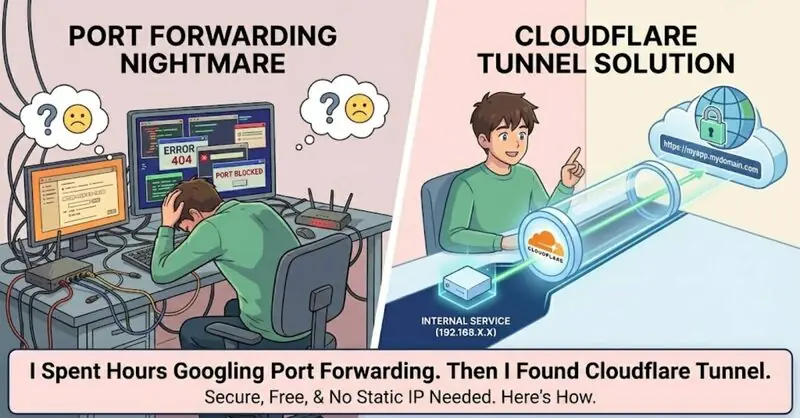
I have this internal service running on a server behind NAT. Private IP, no public access. The usual nightmare.
My ISP doesn't give me a static IP. My router's port forwarding UI looks like it was designed in 2003. And every time I finally get it working, my IP changes and everything breaks.
Then I found Cloudflare Tunnel. Took me 10 minutes to expose my service to the internet with a custom domain. No port forwarding. No static IP needed. Free.
Here's exactly how I did it.
The Problem
I had a service running on 192.168.39.231:8088. HTTPS with a self-signed cert. I needed to access it from anywhere, ideally at a nice domain like myapp.mydomain.com.
The traditional approach:
- Get a static IP (costs money)
- Forward ports on your router (pain in the ass)
- Set up dynamic DNS (another thing to maintain)
- Deal with SSL certs (Let's Encrypt works but still annoying)
Or just use Cloudflare Tunnel.
Quick Tunnel (The Fast Way)
If you just want to test something quick, there's a zero-config option:
cloudflared tunnel --url https://192.168.39.231:8088 --no-tls-verify
That's it. Cloudflared gives you a random URL like alice-ion-married-knights.trycloudflare.com. Your service is now public.
The --no-tls-verify flag is important if your origin has a self-signed cert. Without it, cloudflared refuses to connect because it can't verify the certificate.
But random URLs suck. Let's set up a proper custom domain.
Named Tunnel (The Right Way)
You need a Cloudflare account and your domain added to Cloudflare for this.
Step 1: Login
cloudflared tunnel login
Opens a browser. You authenticate. It downloads a cert to ~/.cloudflared/cert.pem.
Step 2: Create the tunnel
cloudflared tunnel create my-app
You get output like:
Tunnel credentials written to /root/.cloudflared/8a0b7c44-4677-421e-810b-f5e6de9d0555.json
Created tunnel my-app with id 8a0b7c44-4677-421e-810b-f5e6de9d0555
Save that tunnel ID. You need it.
Step 3: Route your domain
cloudflared tunnel route dns my-app app.yourdomain.com
This creates a CNAME record in Cloudflare pointing your subdomain to the tunnel.
Step 4: Create config
Create ~/.cloudflared/config.yml:
tunnel: my-app
credentials-file: /root/.cloudflared/8a0b7c44-4677-421e-810b-f5e6de9d0555.json

ingress:
  - hostname: app.yourdomain.com
    service: https://192.168.39.231:8088
    originRequest:
      noTLSVerify: true
  - service: http_status:404
Replace the tunnel ID with yours. Replace the hostname with yours.
The noTLSVerify: true is the config file equivalent of --no-tls-verify. You need this for self-signed certs.
The last ingress rule catches everything else and returns 404. It's required.
Step 5: Run it
cloudflared tunnel run my-app
Done. Your service is now live at https://app.yourdomain.com.
Common Issues I Hit
"Unable to reach the origin service"
Your service isn't running, or cloudflared can't reach it. Test with:
curl -k https://192.168.39.231:8088
If curl can't reach it, cloudflared can't either.
"tls: failed to verify certificate"
Your origin has a self-signed cert. Add --no-tls-verify for quick tunnels or noTLSVerify: true in config for named tunnels.
"credentials file doesn't exist"
You forgot to replace <TUNNEL-ID> in the config with your actual tunnel ID. The credentials file path must match exactly what was created in step 2.
Running as a Service
You probably don't want to keep a terminal open forever. Install cloudflared as a system service:
cloudflared service install
systemctl start cloudflared
systemctl enable cloudflared
Now it runs on boot and restarts if it crashes.
Why This is Better
- No port forwarding headaches
- No static IP needed
- No dynamic DNS bullshit
- Free SSL from Cloudflare
- Works behind strict NATs and firewalls
- The tunnel connects outbound, so it works even when inbound ports are blocked
I should have found this years ago.
The Bottom Line
If you're exposing internal services to the internet the old way, stop. Cloudflare Tunnel takes 10 minutes to set up and just works.
The quick tunnel is great for testing. Named tunnels with custom domains are what you want for anything real.
What internal services are you exposing? Hit me up - curious what others are running through tunnels.
Comments