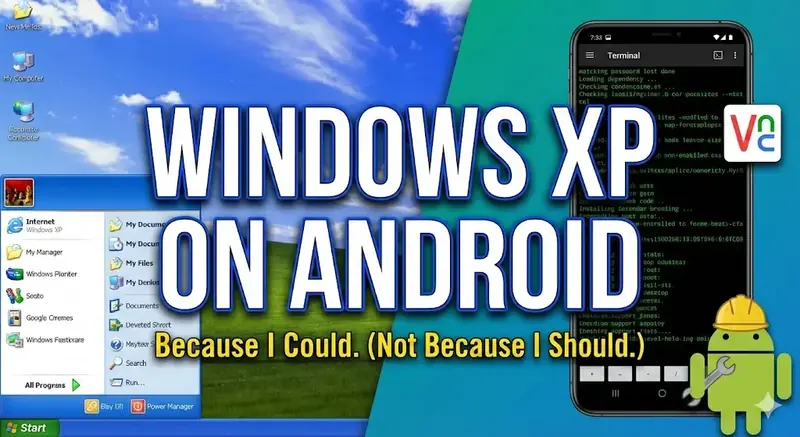
I wanted to run Windows XP on my Android phone. Not because I needed to. Because I could.
Well, theoretically.
Turns out "theoretically" and "actually working" are separated by about 47 hours of debugging QEMU command-line flags and questioning my life choices.
The Stupid Idea
Here's the thing about side projects — the dumbest ideas are the most fun to build.
Running a full virtual machine on a phone? Stupid. The performance would suck. Nobody needs this. There are maybe 12 people in the world who would use it.
I'm one of those 12 people. So I built it.
The app is called Droid2Run. It's basically VirtualBox, but on Android. Pick an OS, load an ISO, boot it up, connect via VNC. Simple concept. Absolute nightmare to implement.
Everything Broke Immediately
First problem: QEMU doesn't just... exist on Android.
I grabbed the binaries from Termux packages. Downloaded the .deb files, extracted them, set up the library paths. Easy enough.
Then I tried to run QEMU.
Permission denied
Android 10+ has this fun security feature where you can't execute binaries from /data. The whole partition is noexec. Great for security. Terrible for my dumb project.
The fix? Use the system linker directly.
val linker = "/system/bin/linker64"
val cmd = listOf(linker, qemuBinaryPath, ...args)
Hacky as hell. Works perfectly.
QEMU's Command Line is a War Crime
I've written a lot of bad code in my life. But QEMU's command-line interface makes me feel better about all of it.
Here's a sample of errors I hit:
-acceland-machine accel=are incompatible. Pick one.-acpiisn't a flag. You want-no-acpito disable it. It's on by default.qemu-system-i386doesn't exist in the Termux package. Just usex86_64— it runs 32-bit OSes fine.
Every flag has three wrong ways to use it and one right way that's documented in a mailing list thread from 2009.
I spent an entire evening figuring out why SeaBIOS wouldn't boot from my ISO. The answer? Use -cdrom /path/to/iso instead of adding it as a drive. And force boot order to d.
cmd.addAll(listOf("-cdrom", isoPath))
cmd.addAll(listOf("-boot", "order=d,menu=on"))
That's it. Hours of debugging for two lines.
Making It Actually Usable
Getting QEMU to run was step one. Making the app not suck was step two.
The UI went through like four iterations. Started with basic Material Design. Looked corporate. Boring.
Ended up with a dark theme using Catppuccin Mocha colors. Clean, modern, doesn't burn your eyes at 2am when you're trying to boot Windows 98 for nostalgia.
The VM cards show everything at a glance — OS type, memory, VNC port, running status. Start, stop, edit, delete. No bullshit settings buried in menus.
The bottom half of the screen is a console log. Real-time feedback. When QEMU inevitably crashes, you see exactly why.
VNC on a Phone Actually Works
Here's what surprised me: the VNC viewer is usable.
I added a floating toolbar with virtual mouse buttons. Left click, right click, middle click. Ctrl, Alt, Escape keys for when Windows demands keyboard shortcuts.
Tap to click. Drag to move. Pinch to zoom. It's not as good as a real mouse, but it works better than I expected.
The virtual keyboard was trickier. Android's soft keyboard sends key events, but QEMU/VNC expects X11 keysyms. Built a translation layer. Most keys work now. Some special characters are still weird. Good enough.
What I Actually Learned
1. Termux is incredible.
Seriously. A full Linux environment on Android with prebuilt packages for complex stuff like QEMU. The maintainers are doing god's work.
2. Android's security model is a blessing and a curse.
The noexec restriction is smart. It also makes running native binaries a pain in the ass. The linker bypass works, but it feels like I'm getting away with something.
3. QEMU is powerful but hostile.
You can emulate almost anything. But the documentation assumes you already know what you're doing. Stack Overflow and old mailing lists are your real documentation.
4. "Simple" UIs take forever.
The final UI looks minimal. Getting there took more iterations than the actual VM code. Every button placement, every color choice, every animation — they all matter.
Does It Actually Run Windows?
Yeah. Slowly.
Windows XP boots. Takes a few minutes. Once it's up, it's usable for basic stuff. Don't expect to play games.
Linux is faster. Alpine boots in under a minute. Lightweight distros work great.
Windows 10? It boots. Eventually. I wouldn't recommend it unless you have an hour to kill and zero expectations.
The bottleneck is CPU emulation. No KVM on most Android devices means pure software emulation. TCG does its best, but x86 on ARM is never going to be fast.
Why Build This?
Honestly? Because it's cool.
There's something satisfying about seeing a Windows desktop render on your phone. About knowing you built the thing that made it happen.
Will anyone use this daily? Probably not.
Will I keep hacking on it? Absolutely.
Sometimes the best projects are the ones nobody asked for.
The code is a mess. The app works. That's the whole story.
If you're the type of person who wants to run a VM on your phone, you already know who you are.
What's the dumbest project you've built just because you could?
Comments