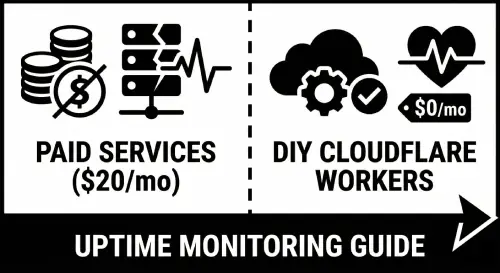
So last week I got tired of paying for uptime monitoring services. Like, $20/month just to ping my domains every 5 minutes and send me an email when something breaks? Nah.
I knew Cloudflare Workers had a generous free tier (100k requests/day, cron triggers, the whole deal), and I thought - why not just build my own? How hard could it be?
Spoiler: it was harder than I thought. But I got it working, and now I have a fully functional health check system that monitors 7 domains, tracks uptime history, and sends me email alerts when stuff goes down. All for $0/month.
Let me show you how.
The idea
Here's what I wanted:
- Check multiple domains every 5 minutes
- Show a nice status page (like those fancy status.whatever.com pages)
- Track how long each domain has been online/offline
- Keep a history of incidents
- Email me immediately when something breaks
Cloudflare Workers seemed perfect for this. You get cron triggers for scheduled tasks, KV storage for persistence, and they recently launched this Email Sending feature that lets you send emails directly from Workers. No external SMTP needed.
Setting it up
First, the boring stuff. Created a new Worker project:
npm create cloudflare@latest ahu-health-check
cd ahu-health-check
Then I needed to set up some bindings in wrangler.toml. This is where it gets interesting (and where I spent like 2 hours debugging, but we'll get to that).
name = "ahu-health-check"
main = "src/index.js"
compatibility_date = "2024-09-23"
compatibility_flags = ["nodejs_compat"]

routes = [
  { pattern = "status.kdmp.id", custom_domain = true }
]

[[kv_namespaces]]
binding = "STATUS_KV"
id = "your-kv-namespace-id"

[[send_email]]
name = "SEND_EMAIL"
destination_address = "[email protected]"

[triggers]
crons = ["*/5 * * * *"]
The send_email binding is the new Cloudflare Email Service thing. It's... honestly kinda confusing to set up. More on that disaster later.
The health checker
The actual health check logic is pretty straightforward. Just fetch each domain and see if it responds:
export async function checkDomain(domain) {
  const url = `https://${domain}`;
  const startTime = Date.now();

  try {
    const controller = new AbortController();
    const timeoutId = setTimeout(() => controller.abort(), 10000);

    const response = await fetch(url, {
      method: 'GET',
      signal: controller.signal,
      headers: { 'User-Agent': 'AHU-HealthCheck/1.0' }
    });

    clearTimeout(timeoutId);
    const responseTime = Date.now() - startTime;

    // This part is important - cancel the body to avoid stalled request warnings
    if (response.body) {
      await response.body.cancel();
    }

    return {
      domain,
      status: response.ok ? 'healthy' : 'unhealthy',
      statusCode: response.status,
      responseTime,
      error: response.ok ? null : `HTTP ${response.status}`
    };
  } catch (error) {
    return {
      domain,
      status: 'unhealthy',
      statusCode: null,
      responseTime: null,
      error: error.name === 'AbortError' ? 'Timeout' : error.message
    };
  }
}
See that response.body.cancel() line? Yeah, I learned about that the hard way. Without it, Cloudflare throws these annoying "stalled HTTP response" warnings because you're making multiple fetch requests without reading the response bodies. Took me forever to figure out.
Tracking uptime with KV
Cloudflare KV is basically a key-value store that persists between Worker invocations. Perfect for tracking uptime data.
I store stuff like:
- Current status (online/offline)
- When the status last changed
- Total offline count
- Last online/offline timestamps
export async function updateUptimeData(kv, domain, isOnline) {
  const now = Date.now();
  const data = await getUptimeData(kv, domain);
  const previousStatus = data.currentStatus;

  data.totalChecks++;
  const statusChanged = previousStatus !== null && previousStatus !== isOnline;

  if (statusChanged) {
    data.statusSince = now;
    if (!isOnline) {
      data.offlineCount++;
      data.lastOffline = now;
    }
  }

  data.currentStatus = isOnline;
  await kv.put(`uptime:${domain}`, JSON.stringify(data));

  return { ...data, previousStatus, statusChanged };
}
The trick here is returning previousStatus so we can detect when a domain just went offline vs was already offline. You only wanna send an alert email the first time it goes down, not every 5 minutes while it's still down.
The email nightmare
Okay so. The Cloudflare Email Service.
I thought it would be simple. It was not simple.
First, I tried using their API like this:
await emailBinding.send({
  to: '[email protected]',
  from: '[email protected]',
  subject: 'Alert!',
  html: '<p>Something broke</p>'
});
Didn't work. Got some cryptic [object Object] error.
Then I tried passing an array of recipients. Nope.
Then I tried the EmailMessage class from cloudflare:email. Getting warmer...
import { EmailMessage } from 'cloudflare:email';
import { createMimeMessage } from 'mimetext';

const msg = createMimeMessage();
msg.setSender({ addr: '[email protected]', name: 'KDMP Status' });
msg.setRecipient('[email protected]');
msg.setSubject('Alert!');
msg.addMessage({ contentType: 'text/html', data: htmlContent });

const message = new EmailMessage(from, to, msg.asRaw());
await binding.send(message);
But wait, there's more! The destination email address has to be verified in Cloudflare Email Routing first. And the destination_address in your wrangler.toml has to match exactly.
I spent literally 2 hours getting errors like:
invalid rcpt to email address ([object Object])internal error; reference = hm6ath9jsh33poqe69tkfpkodestination address is not a verified address
The fix? Go to Cloudflare Dashboard > Email > Email Routing > Destination addresses, add your email, and click the verification link they send you.
Nobody tells you this upfront. I had to piece it together from random Discord messages and GitHub issues.
The status page
For the frontend, I kept it simple. Just server-rendered HTML, no React or anything fancy. It's a status page, not a SPA.
I went with a red and white theme (merah putih - Indonesian flag colors, cuz why not) and made it mobile responsive with a horizontal scrolling table. Nothing groundbreaking but it looks clean.
The cron trigger runs every minute during testing (every 5 minutes in prod), updates the KV store, and if it detects a status change from online to offline, it fires off an email.
async scheduled(event, env, ctx) {
  console.log('Running scheduled health check...');
  const results = await checkAllDomains();

  for (const domain of results.domains) {
    const isOnline = domain.status === 'healthy';
    const uptimeData = await updateUptimeData(env.STATUS_KV, domain.domain, isOnline);

    // Only alert when going from online -> offline
    const wentOffline = (uptimeData.previousStatus === true && !isOnline) ||
                        (uptimeData.previousStatus === null && !isOnline);

    if (wentOffline) {
      await addIncident(env.STATUS_KV, domain.domain, { /* ... */ });
      newlyOffline.push(domain);
    }
  }

  if (newlyOffline.length > 0) {
    await sendEmail(env, newlyOffline);
  }
}
Was it worth it?
Honestly? Yeah.
It took me a solid evening to build (and another evening debugging the email stuff), but now I have:
- Free uptime monitoring for 7 domains
- A custom status page on my own domain
- Email alerts that actually work
- Full control over the logic and design
No monthly fees. No vendor lock-in. And I learned a bunch about Cloudflare Workers in the process.
The code's not perfect. There's probably edge cases I haven't thought of. But it works, it's been running for a few days now, and it caught an actual outage yesterday (my API returned 404 for a few minutes after a deploy).
If you're running a few side projects and don't wanna pay for Uptime Robot or Better Stack or whatever, this is totally doable. Cloudflare's free tier is genuinely generous.
Anyway, that's it. If you build something similar, let me know how it goes. Or if you figure out a cleaner way to do the email stuff, definitely tell me cuz that part still feels hacky.
The full code is on my GitHub if you wanna steal it. No judgment.
Comments